

Why Free Online Video Calls Are Taking Over
Remember when video calling meant downloading Skype, creating an account, adding contacts, and praying the connection held? Those days are gone.
Free online video calls have exploded. Not the scheduled, calendar-invite kind — the spontaneous, click-and-connect kind. Open a browser tab. Allow your camera. And boom — you’re face-to-face with someone new in seconds. No downloads. No sign-ups. No waiting. Young users are driving this shift. Why? Because free video calls offer what social media stopped providing: real, unfiltered, face-to-face connection with zero friction. No profiles to curate. No follower counts to worry about. Just you, your camera, and someone new on the other side.
Whether you want to meet strangers from across the world, practice a language with a native speaker, or just kill time with a fun conversation — free online video calls are the fastest way to get there. Here’s everything you need to know.
What Makes a Great Free Video Call Platform?
Not all free video call sites are created equal. Here’s what separates the best from the rest:
- ⚡ Instant Connection. The best platforms connect you in under 10 seconds. No queues. No waiting rooms. No “finding matches” loading screens. If a site makes you wait, move on.
- 🚫 No Registration Required. The whole point is speed and spontaneity. A great platform lets you start chatting without handing over your email, creating a password, or filling out a profile. Click. Chat. Done.
- 🎥 HD Video That Actually Works. Free doesn’t have to mean fuzzy. The best platforms use WebRTC technology to deliver crisp video and clear audio — even across continents.
- 🌍 A Truly Global User Base. One click, you’re talking to someone in Brazil. Next click, Japan. A great platform has active users from everywhere, at all hours.
- 🔍 Smart Filters (Optional). Want to chat with someone who shares your interests? Prefer a specific language or region? The best platforms let you set preferences — without making them mandatory. Spontaneity stays alive.
- 🛡️ Basic Safety Tools. Report buttons. Block functions. The ability to skip anyone instantly. A good platform gives you control over who stays on your screen.
Best Free Video Call Online Apps Recommended
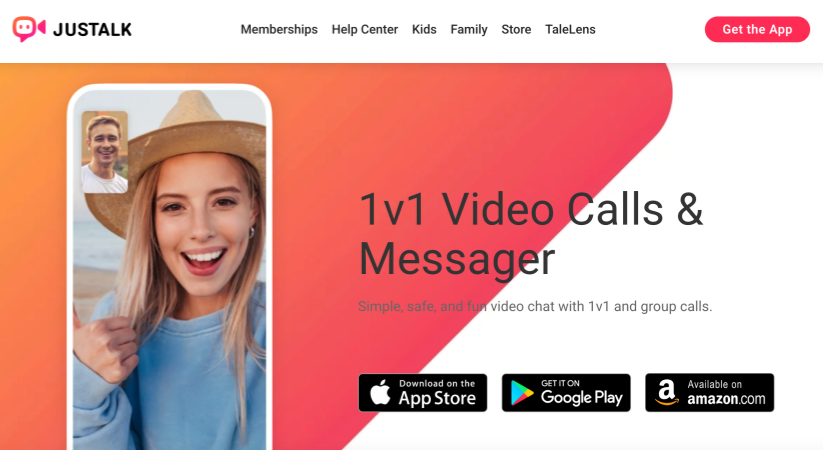
JusTalk — Best for Casual Social Discovery
Pros:
- Free video and voice calls with no time limits
- Built-in games make conversations less awkward
- Group chat and group video call support
- Simple, clean interface designed for beginners
Cons:
- Requires account registration — not fully anonymous
- Smaller user base than major random chat platforms
- Social features lean more toward friends than strangers
Best for: users who want a casual, game-assisted way to meet new people without the intensity of adult-oriented platforms.
Cafe Video Chat — Best for Laid-Back, Low-Pressure Conversations

Pros:
- Relaxed, coffee-shop vibe — less intense than adult chat roulette
- No registration required for basic matching
- Simple one-click start with minimal setup
- Clean interface focused on conversation, not gimmicks
Cons:
- Very small user base — wait times can be long off-peak
- No gender or interest filters
- Limited to basic video chat — no translation or premium features
- Minimal moderation and safety tools
Best for: users who want a lightweight, no-pressure random chat experience without the adult content focus of bigger platforms.
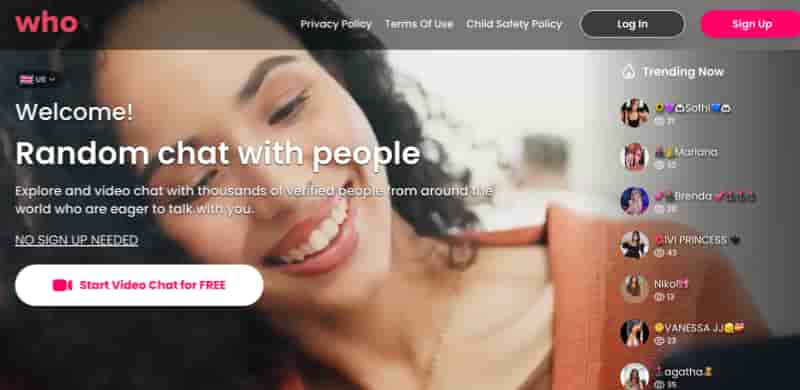
Who — Best for Curiosity-Driven Matching
Pros:
- Unique concept — match based on shared questions and curiosity
- Conversation starters built into the matching process
- Text-first approach reduces pressure before video
- Fresh take on random chat that stands out from Omegle clones
Cons:
- Limited global reach compared to established platforms
- Very niche user base — match availability is inconsistent
- Requires registration for full features
- Still early-stage — features feel incomplete
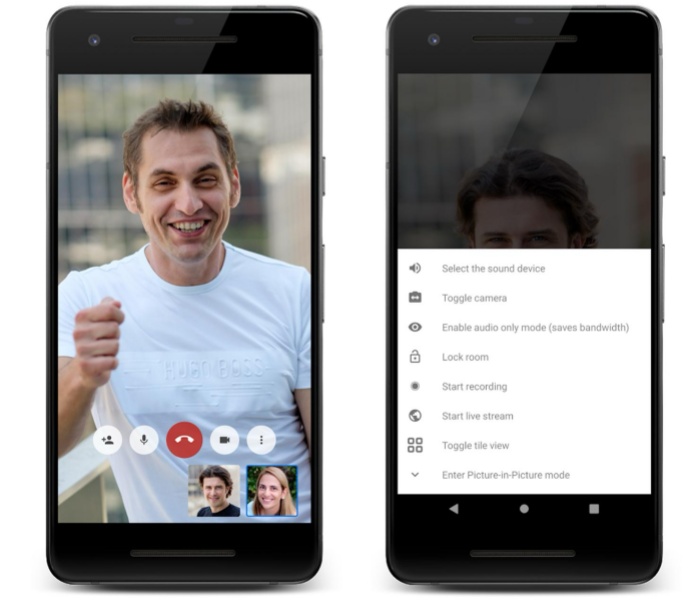
Jitsi Meet (Privacy-Focused & Free)
Pros:
- No registration required
- Completely free
- Open-source and privacy-friendly
Cons:
- Less polished interface
👉 Best for: Privacy-conscious users
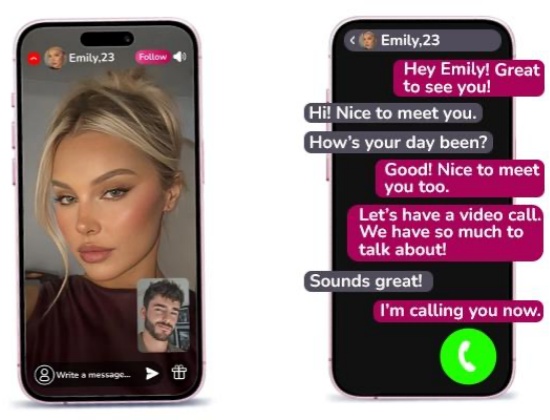
ChatRandom / Emerald Chat (Video Chat with Strangers)
Pros:
- Instantly connect with strangers
- Fun and unpredictable
- Great for social exploration
Cons:
- Quality of interactions varies
👉 Best for: Making new friends, language practice
How to Choose the Right App?
Here’s a quick guide:
Usage Scenarios | Recommended Apps |
💼 Office Meetings | Zoom / Teams |
🌐 Quick Communication | Google Meet |
| 🔐 Privacy Priority | Jitsi Meet |
| 🌍 Social Networking with Strangers | ChatRandom |
Popular Use Cases
🌍 1. Random Video Chat (Meeting New Friends)
Many users use live video call free apps to communicate with strangers and expand their social circles.
👉 Great for:
- Language practice 🗣️
- Cultural exchange 🌎
- Expanding your social circle
💼 2. Remote Work & Meetings
Video conferencing has become essential for modern workplaces.
👉 Benefits:
- Saves commuting time
- Improves collaboration
- Enables remote teamwork
🎓 3. Online Learning and Tutoring
Teachers and students can interact in real time, improving engagement and understanding.
❤️ 4. Staying Connected with Loved Ones
Perfect for long-distance relationships, families, and international communication.
How to Choose the Best Online Video Call Free App
Too many apps claim “free video calls.” Here’s how to cut through the noise.
- Know what “free” really means. Some apps are free from the first click. Others give you 30 seconds then lock the screen until you pay. Stick with platforms that are upfront — full free access, no credit card tricks.
- Speed matters more than features. The best app is the one that connects you fastest. Under ten seconds from opening the site to seeing a face. No registration forms. No email verification. No queue. Just click and go.
- Filters make the difference. Pure random matching sounds exciting, but it gets exhausting when every other connection is a blank screen or an instant skip. Look for platforms with interest tags or basic gender filters — just enough control to keep things interesting.
- Safety isn’t optional. Report and block buttons should come standard. Better platforms add verified users, AI moderation, or human review teams. No safety tools at all? That’s not an app — that’s a gamble.
Pro Tips for Better Video Calls
- Find good lighting. Face a window or a lamp — not away from it. Good lighting makes every conversation feel more natural.
- Use headphones. They cut out the echo and background noise. The person on the other side will thank you.
- Stable Wi-Fi beats everything. HD video needs bandwidth. If your call feels choppy, move closer to your router.
- Have an opener ready. “Where are you from?” always works. So does “What’s the most interesting thing that’s happened to you this week?” Skip the awkward silence.
- Try different time zones. European evenings are great for international chats. Late night in the US connects you with early risers in Asia. Mix it up.
Final Thoughts 💭
Free online video calls have changed the way we connect. No downloads. No sign-ups. No barriers. Just real conversations with real people — whenever you want them. Whether you’re bored, curious, lonely, or just in the mood to meet someone new, there’s a free video call platform waiting for you. Pick one from the list above. Click “Start.” And see who’s out there.
FAQs
- Are online video call free apps really free?
Yes, most online video call free apps offer core features for free, such as one-on-one video calls and basic group chats. However, some may include premium upgrades for advanced features like longer meetings or extra tools.
- Do I need to download an app to make free video calls?
Not always. Some platforms, like browser-based tools allow you to start an online video call free directly without downloading anything, while others require installing an app for better performance.
- Are free video calls safe and private?
Most popular apps provide encryption and privacy controls. However, for safer experiences, choose platforms with strong moderation and avoid sharing personal information during random chats.
- What internet speed is required for smooth video calls?
For a stable online video call free experience, a minimum of 1–2 Mbps is recommended. For HD video quality, higher speeds (5 Mbps or more) are ideal to avoid lag or interruptions.